
Download US Coin – Free Coin Collector App for Windows, Mac, Android & iOS
Introduction
For modern coin collectors, the sheer amount of data scattered across specialty websites can be overwhelming. Whether you’re a seasoned numismatist tracking mint marks from the 19th century or a hobbyist curious about the latest commemorative issue, you need a single, reliable source that delivers accurate information at a click. US Coin answers that call by offering an intuitive, cross‑platform software application designed specifically for the U.S. coin market. The app consolidates a massive repository of coin data—including standard denominations, territorial issues, and limited‑edition commemoratives—into a clean, searchable interface. No more hopping between multiple tabs on Numista, Heritage Auctions, or the United States Mint’s archives; US Coin brings everything you need into one secure, offline‑capable tool.
The developers behind US Coin understood that collectors value both depth and speed. That’s why the software includes high‑resolution images, precise weight specifications, mint‑year details, and even estimated mintage figures for each entry. The data is continuously updated, ensuring that the latest releases are available the moment they hit the market. Moreover, the app’s multi‑device synchronization means you can start a research session on your desktop, continue on a tablet during a convention, and finish on a smartphone while on the road. The ability to share the entire library with up to six family members or fellow collectors adds a collaborative edge that few competitors provide.
In this review we’ll explore US Coin’s core capabilities, walk through the installation process on Windows, macOS, Android, and iOS, and weigh the pros and cons that matter most to serious collectors. By the end, you’ll have a clear picture of whether this free, secure, and regularly updated tool deserves a spot on your collecting toolkit.
Comprehensive Overview & Key Features
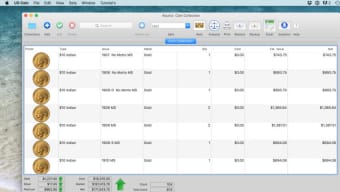
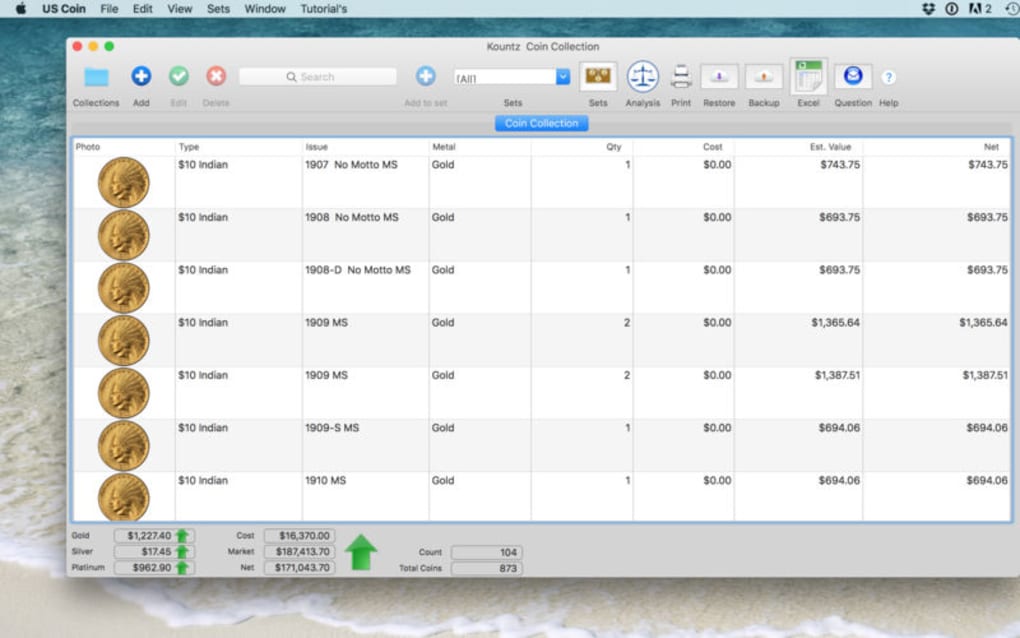
US Coin is a dedicated software solution that aggregates exhaustive information about United States coinage from the early colonial period to the present day. Its database includes over 10,000 individual entries, covering every circulating denomination, specialty territorial issues, and commemorative series issued by the United States Mint. The interface is built around a fast, filter‑driven search engine that lets you locate a coin by year, mint mark, metal composition, or even design theme. Each coin entry presents a high‑definition image, exact weight, diameter, metal content, and a concise historical note that explains its significance and production background. The application also features a “My Collection” module where you can log the pieces you own, note condition grades, and track market values over time.
Core Feature List
- Massive coin database covering standard, territorial, and commemorative issues.
- High‑resolution images with zoom capability for detailed inspection.
- Complete technical specifications: weight, diameter, metal composition, and mint year.
- Estimated mintage numbers sourced from official mint reports.
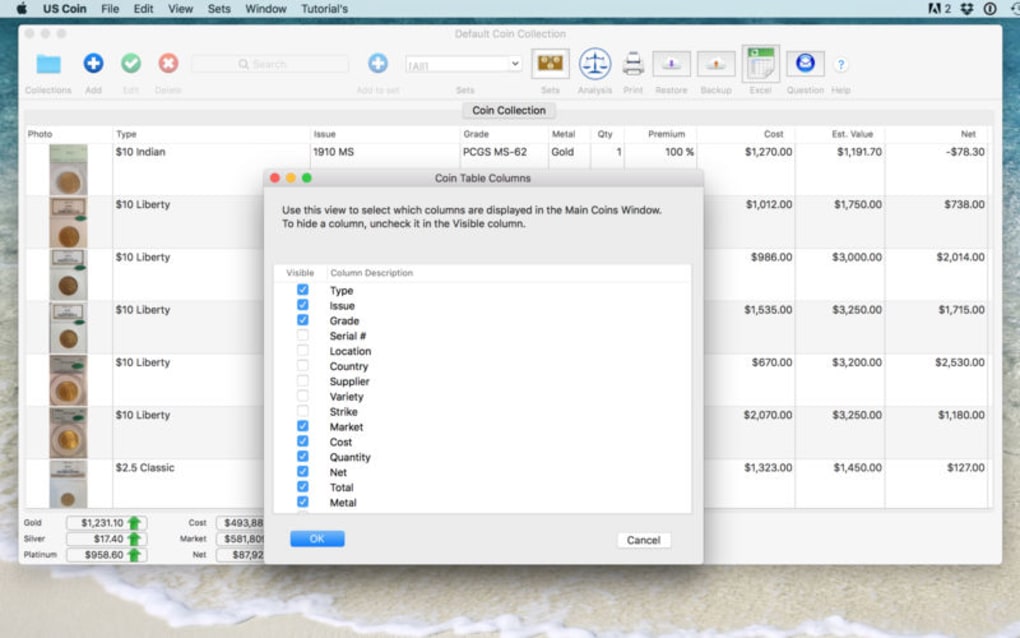
- Advanced search filters (year range, mint mark, denomination, metal type).
- Personal collection manager with grading, notes, and valuation tools.
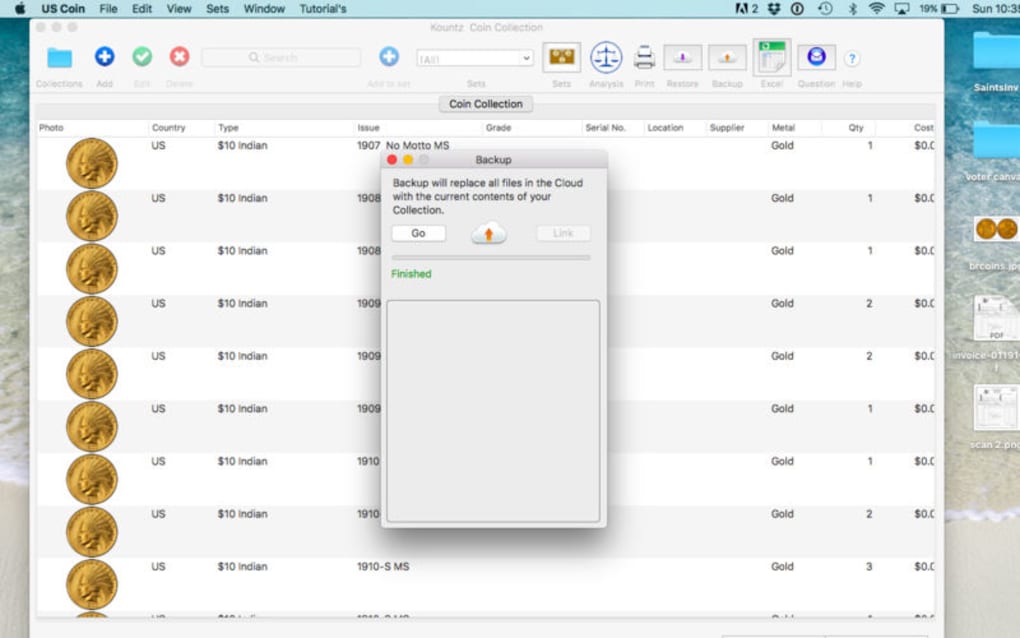
- Cross‑device synchronization via secure cloud backup.
- Family sharing option for up to six users, ideal for clubs or multi‑generational collectors.
- Regular automatic updates that add new releases and correct data inaccuracies.
- Offline mode – all data is stored locally after the first download, ensuring access without internet.
Installation, Usage Guide & Compatibility
US Coin is available as a free download for the four major operating systems: Windows 10/11, macOS 10.14 (Mojave) and later, Android 7.0 (Nougat) and up, and iOS 12 and later. The installation process is straightforward and mirrors the experience of installing any mainstream app.
Step‑by‑Step Installation
- Visit the official US Coin website or your device’s app store (Google Play Store or Apple App Store).
- Click the “Download” button for your platform. For Windows and macOS, a .exe or .dmg installer will be saved to your Downloads folder.
- Run the installer and follow the on‑screen prompts. The wizard will ask you to accept the license agreement and choose an installation directory (default is recommended).
- Once installed, launch the application. The first run will trigger a brief database sync; this may take a few minutes depending on your internet speed.
- Create a user profile using your email address. This profile is the key to enabling cloud synchronization and family sharing.
- After signing in, you’ll be presented with the main dashboard where you can start searching for coins or import your existing collection data.
How to Use the Core Functions
Upon opening US Coin, the search bar dominates the top of the screen. Type a year, mint mark, or denomination to instantly filter results. Clicking a coin entry opens a detail pane that shows the high‑resolution image on the left and technical data on the right.
Use the “Add to My Collection” button to log the coin, assign a condition grade (e.g., MS‑65), and add personal notes. The “Sync” icon in the top‑right corner manually triggers a cloud backup, ensuring your data is mirrored across all authorized devices. The settings menu lets you enable automatic updates, adjust image quality for offline mode, and manage family members who have access to your library.
US Coin runs natively on Windows 10/11, macOS 10.14+, Android 7.0+, and iOS 12+. The application is optimized for both desktop and mobile screens, offering a responsive layout that scales gracefully from large monitors to 5‑inch smartphones. Because the data is stored locally after the initial sync, you can browse the entire catalog even when you’re offline, a crucial feature for collectors attending shows in remote locations.
Pros, Cons, Frequently Asked Questions & Final Verdict
Pros
- Extensive, regularly updated U.S. coin database.
- Free to download with no hidden subscription fees.
- Cross‑platform support and seamless cloud synchronization.
- High‑resolution images and detailed technical specs.
- Family sharing option enhances collaboration among collectors.
- Offline access after initial sync, perfect for shows without Wi‑Fi.
Cons
- Initial database sync can be data‑intensive on slow connections.
- Advanced valuation tools are basic compared to premium market‑analysis software.
- No built‑in marketplace for buying or selling coins.
Frequently Asked Questions
Is US Coin really free, or are there hidden costs?
US Coin is completely free to download and use. All core features, including the full coin database, cloud sync, and family sharing, are provided at no charge. Optional premium add‑ons are not required for normal usage.
How often is the coin database updated?
The development team releases updates monthly, and new U.S. Mint releases are added within 48 hours of official announcement. Users receive automatic notifications and can choose to install updates instantly.
Can I import my existing collection from another app?
Yes. US Coin supports CSV import, allowing you to migrate data from most popular collector databases. Detailed instructions are available in the Settings → Import/Export section.
Is my data secure during cloud synchronization?
All data transmitted to the cloud is encrypted using TLS 1.3, and stored on servers that comply with GDPR and CCPA privacy standards. Users retain full control and can delete their data at any time.
What devices can I share my collection with?
You can share your collection with up to six family members or fellow collectors, regardless of whether they use Windows, macOS, Android, or iOS. Each shared user gets a separate login that respects your privacy settings.
Final Verdict & Call to Action
US Coin delivers a remarkably complete, free, and secure solution for anyone serious about U.S. coinage. Its intuitive design, extensive data set, and cross‑device sync make it a standout among niche collector tools. While it lacks an integrated marketplace and its advanced valuation features are modest, the core offering—accurate data, beautiful images, and offline access—far outweighs these minor gaps. For hobbyists and professional numismatists alike, US Coin is a must‑have addition to the digital toolkit.
Ready to streamline your research and keep your collection organized? Download US Coin today and experience the convenience of having the entire U.S. coin universe at your fingertips—free, secure, and instantly accessible on any device.







